
iOS 26 Wallet: Apple Wallet in iOS 26 gets smarter with nine new features, from digital passports and flight updates to order tracking and car keys. Here is what is new.
Apple’s latest iOS 26 update quietly gives the Wallet app a serious upgrade. What was once just a place for cards and tickets is now turning into a powerful everyday tool. From travel to payments, the new Wallet feels smarter, faster, and more useful than ever.
Here are nine new features that make everyday life a little easier.
1. Digital passports for domestic flights
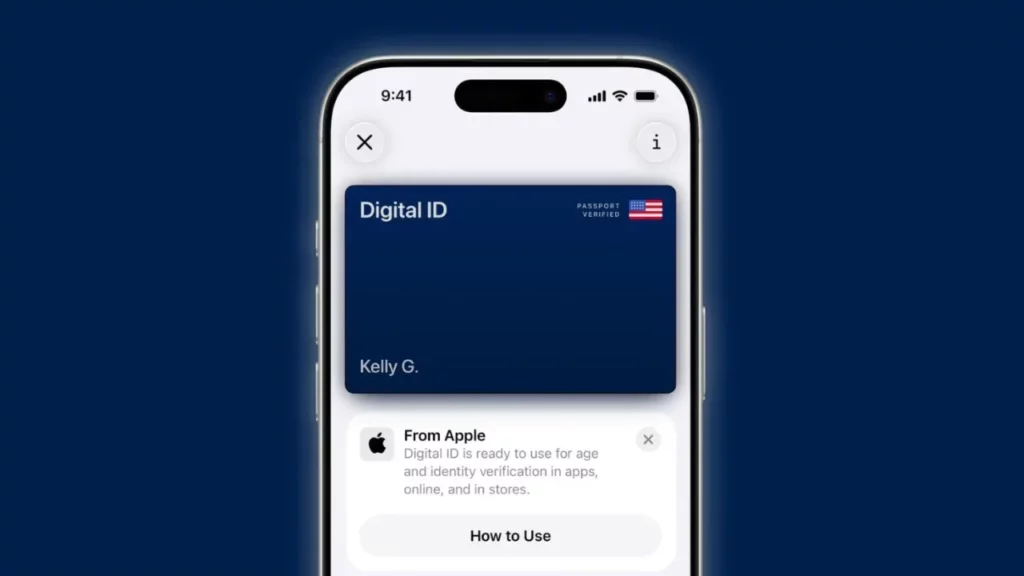
With iOS 26, U.S. users can add their passport to Wallet and use it at TSA checkpoints for domestic flights, right from an iPhone or Apple Watch. It is Real ID compliant and can also be used for age and identity checks in apps, stores, and websites. Apple stresses this is not a replacement for international travel you will still need your physical passport abroad.
2. Smarter order tracking with Apple Intelligence
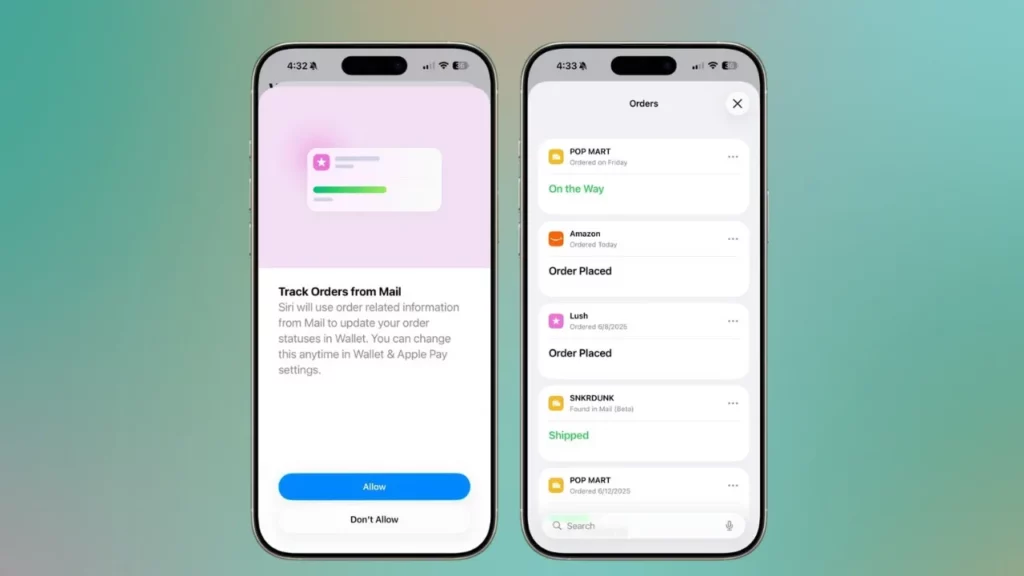
Order tracking in Wallet has received a major upgrade. You are no longer limited to Apple Pay purchases now all orders can appear in one place. By opening Wallet → “•••” → Orders, you can see delivery timelines pulled from your Mail app. Apple Intelligence scans receipts, finds tracking numbers, and updates package status automatically. The feature is still in testing, so some orders may need to be marked manually.
3. Boarding passes with maps and Find My luggage support
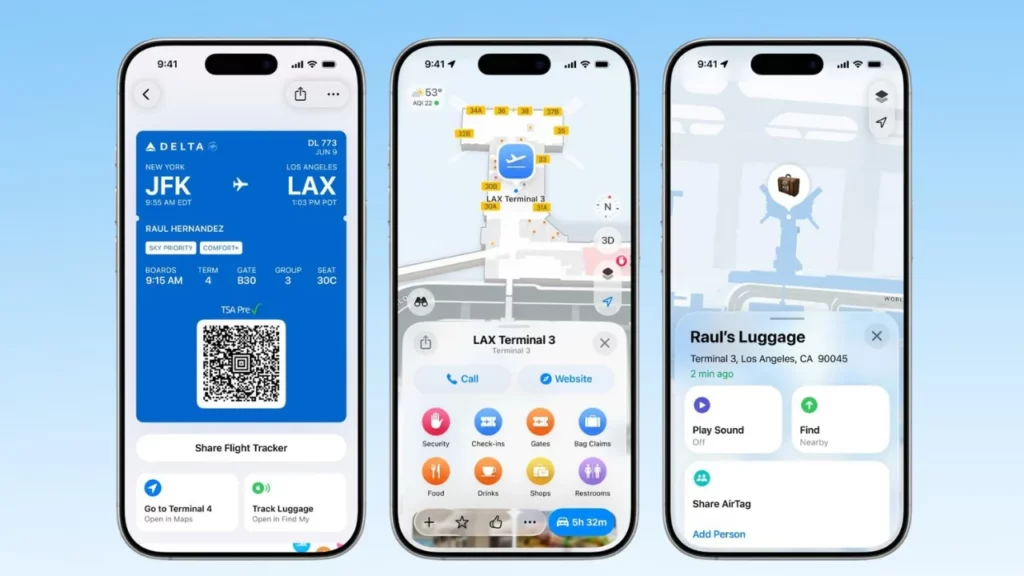
Boarding passes in Wallet now show more details in iOS 26. You can see airport navigation maps to move through terminals more easily, plus direct integration with Find My. This lets you track checked bags, report lost items, and even get real-time updates from airlines without switching apps.
4. Live flight updates you can share
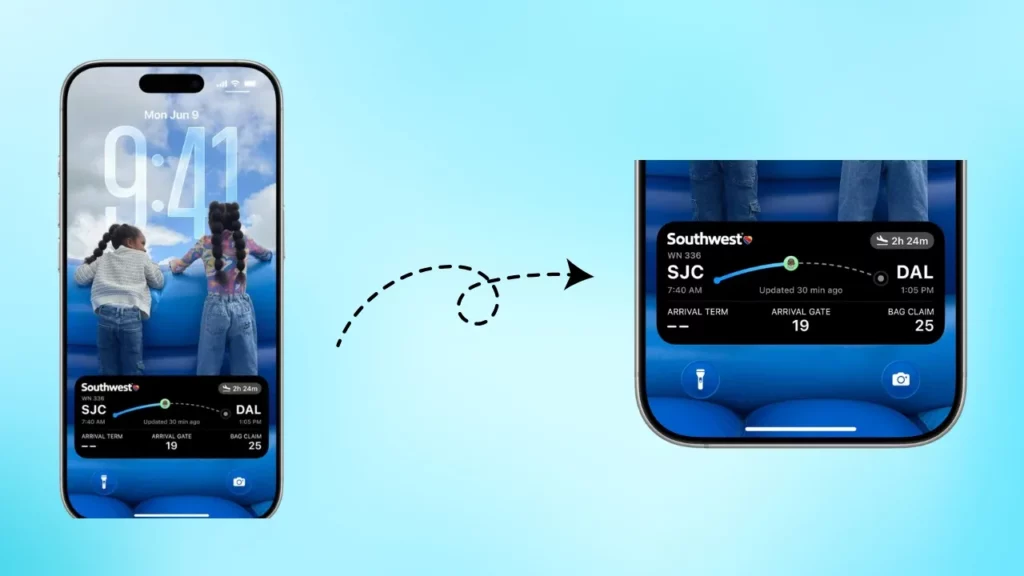
Flights saved to Wallet now show real-time updates through Live Activities on the Lock Screen, Dynamic Island, and even CarPlay. You can also share these live updates with family or friends so everyone stays in sync with gate changes and delays.
5. Verify your identity on websites
iOS 26 adds “Verify with Wallet on the Web,” letting you confirm your age or identity directly in a browser. For example, when renting a car or buying alcohol, you just scan a QR code and approve with Face ID. The site only sees what is required like confirming you are over 21. It works in Safari 26 and other browsers with W3C and FIDO support, with partners like Chime, Turo, Uber Eats, and U.S. Bank already on board.
6. Full card details when Apple Pay is not accepted
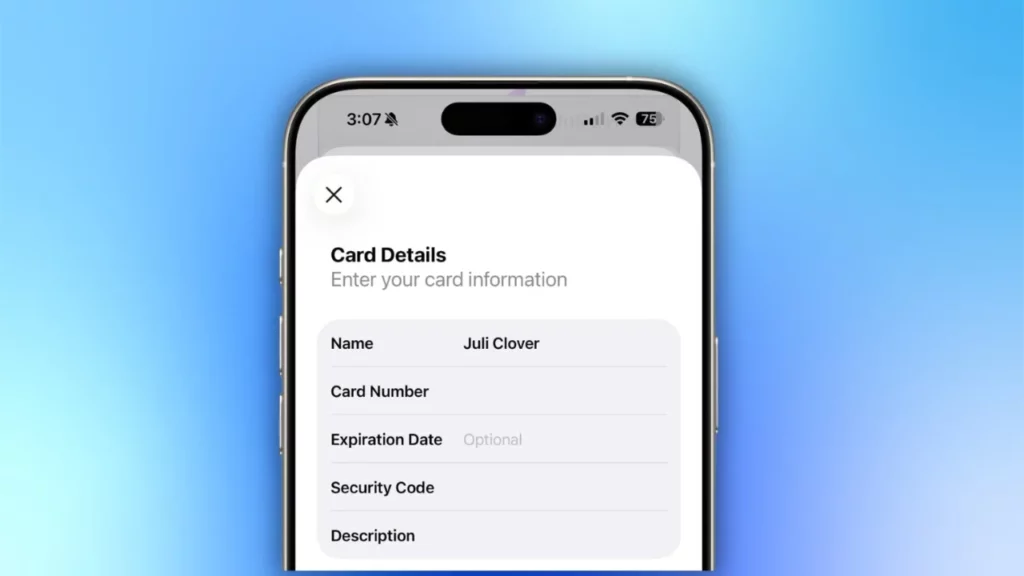
Wallet in iOS 26 can now securely store and show your complete card details, including number, expiry, and CVV, under a new AutoFill section. The info is protected with Face ID and encrypted in iCloud Keychain, making it handy for websites or phone orders that do not support Apple Pay.
7. Turn off Wallet promotions
After complaints about unwanted ads, iOS 26 adds a switch to disable offers and promotions in Wallet. Just go to Notification Settings and toggle off “Offers & Promotions.” This keeps Wallet focused on essentials like payments and tickets without surprise ads.
8. Pay with installments or redeem rewards
Apple Pay in iOS 26 makes checkout more flexible. You can split a purchase into installments with partners like Affirm, After pay, Klarna, Synchrony, and U.S. Bank, or redeem reward points, miles, or cashback instantly. Everything shows up right in the Apple Pay sheet, so you can choose the best way to pay without extra apps.
9. More cars work with Wallet car keys
Car Key in iOS 26 now supports 13 more automakers, including Acura, Cadillac, Chevrolet, GMC, Porsche, Rivian, and Lucid. Using NFC and Ultra-Wideband, you can unlock, start, and even share your car key right from Wallet making digital keys more practical than ever.
These changes are not flashy, but they touch daily routines: faster airport check-ins, smoother online orders, fewer promo alerts, and smarter ways to pay. iOS 26 rolls out in September 2025, and once you update, Wallet may quickly become one of the most practical apps on your iPhone.







