
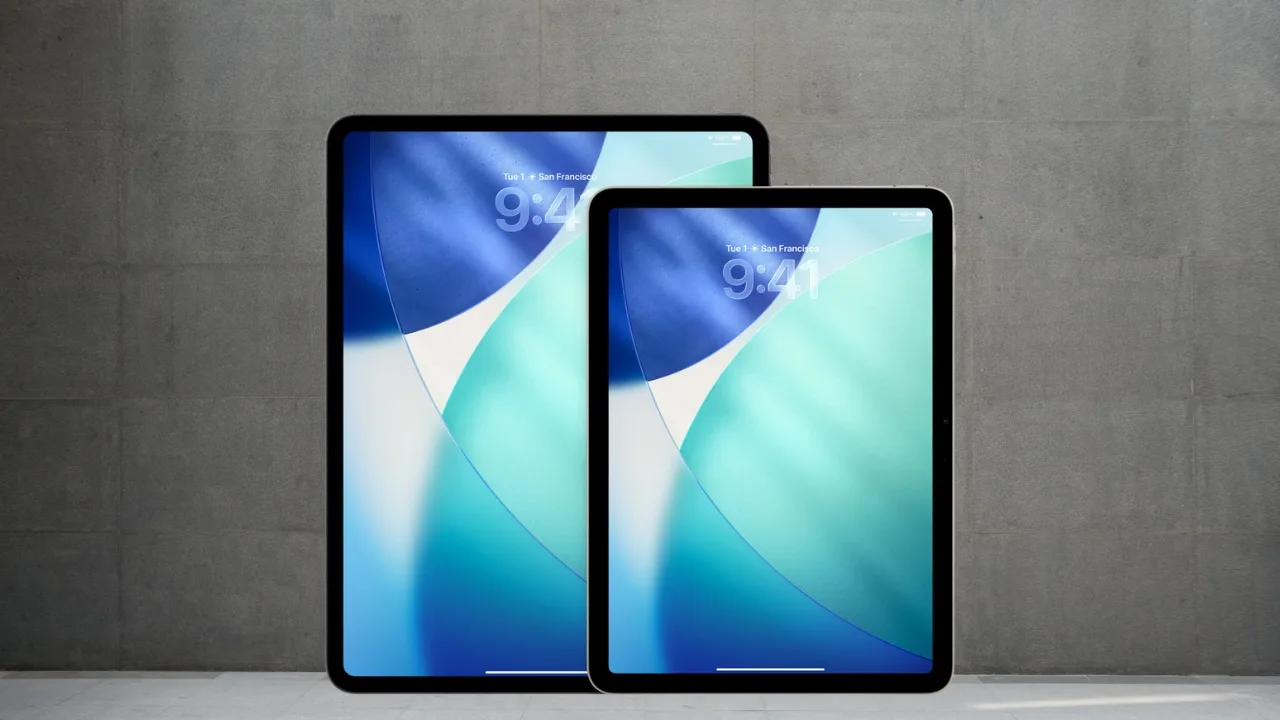
Apple is preparing to launch iPadOS 26 with a sleek new look and smarter features, but not every iPad will get the upgrade. The software is expected to roll out in fall 2025, likely around September 15, just after the iPhone 17 event. With Apple Intelligence, a dynamic Lock Screen, and powerful productivity tools on the way, here is what you need to know about which iPads are supported and which are being left behind.
iPadOS 26 compatible iPads list
iPadOS update brings Liquid Glass design, dynamic Lock Screen, new windowing system with snap layouts, and folders in Dock. Productivity boosts include improved Files, Preview app for PDFs, Math Notes in Calculator, and Markdown export in Notes. Apple Intelligence adds smart shortcuts and reminders. New Games app, Live Translation, and enhanced accessibility included. Launching this fall, compatible with iPad Pro (M4/2018+), iPad Air (M3/2019+), iPad (A16/2020+), and iPad mini (A17 Pro/2019+).
Here is the full list of iPads that are compatible with iPadOS 26:
| iPad model | Year (release) | Generation |
| iPad Pro (M4) | 2024 | 7th gen |
| iPad Pro 12.9-inch | 2018 | 3rd gen+ |
| iPad Pro 11-inch | 2018 | 1st gen+ |
| iPad Air (M3) | 2025 | 7th gen |
| iPad Air (M2) | 2024 | 6th gen |
| iPad Air | 2019 | 3rd gen+ |
| iPad (A16) | 2025 | 11th gen |
| iPad | 2020 | 8th gen+ |
| iPad mini (A17 Pro) | 2024 | 7th gen |
| iPad mini | 2019 | 5th gen+ |
Not every iPad is ready for iPadOS 26
Some iPads will not be eligible for iPadOS 26, as Apple has set the minimum requirement at the A12 Bionic processor. This means older models running on A10, A9, or A8 chips are out, including the 7th-generation iPad with its A10 SoC. Supported devices include all M-series iPad Pro models, along with the 12.9-inch Pro from the 3rd generation onward and the 11-inch Pro from the 1st generation. The iPad Air is supported from the 3rd generation and newer, including the M2 and M3 versions, while the standard iPad works from the 8th generation and up. The iPad mini is also compatible starting from the 5th generation.
Why older iPads are losing support
Apple designed iPadOS 26 to take advantage of the speed, memory, and security features offered by the A12 Bionic chip and newer processors. Older iPads simply do not have the power to keep up with the demands of modern apps and system improvements. Apple Intelligence pushes the requirements even higher, needing at least an M1 or A17 Pro chip to handle advanced on-device AI, faster neural processing, and the extra memory that generative features rely on.
Quick check for iPadOS 26 support
- Find your model: Go to Settings › General › About and note your iPad’s model name and iPadOS version.
- Check compatibility: Compare your model with the iPadOS 26 compatibility list above, or on the App Store, scroll to Compatibility on an app’s page to see the minimum iPadOS and device requirements.
- Confirm hardware: In About, copy your serial number and use Apple’s serial check tool to see if your device is Wi-Fi only or Wi-Fi + Cellular.
- Update software: Go to Settings › General › Software Update and install the latest version available.
Pro tip: If your iPad cannot install the required iPadOS, try using an older version of the app, switch to the web version, or explore an alternative app.
iPadOS 26 is around the corner with big changes, but only newer iPads will get it. If your device is supported, you can look forward to the update this fall. If not, this might be the right moment to think about a newer iPad. Either way, Apple’s next update is shaping up to be one of the biggest yet.







