
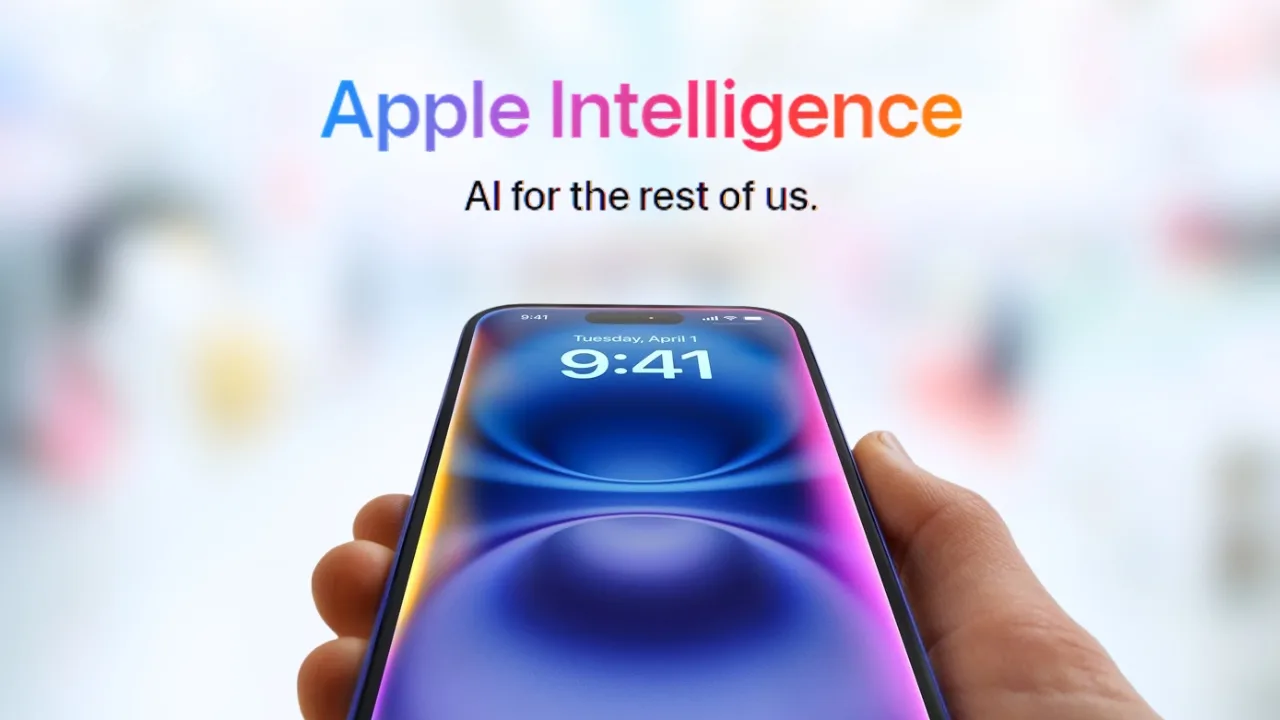
Apple Intelligence: Apple Intelligence is Apple new system-wide AI for iPhone, iPad, Mac, and Vision Pro. It helps with writing, creativity, translation, and Siri upgrades while keeping privacy at the core.
Apple calls it “AI for the rest of us.” Unlike standalone AI apps, Apple Intelligence is built directly into the operating system of iPhone, iPad, Mac, and at least in the United States Apple Vision Pro. Its purpose is simple but bold: help you write, communicate, create, and get things done, all while protecting your privacy.
Here is the full breakdown of Apple Intelligence, covering everything from writing tools to device compatibility.
Smarter Writing and Communication Everywhere
Apple is starting with features people will use daily. Writing Tools are built system-wide, letting you proofread, summarize, or rewrite text in different tones. They work across Apple own apps and in third-party apps.
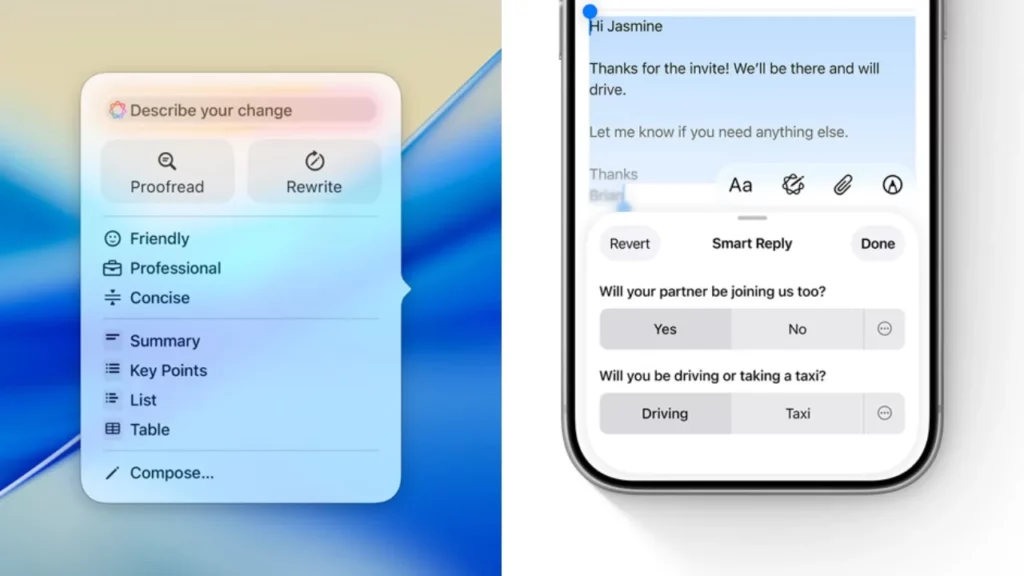
The AI also delivers summaries for voicemails, call transcripts, Notes recordings, and even emails in Mail. Paired with Smart Reply, Mail can now draft responses automatically, pulling in key details from the original message.
Managing attention is another priority. A new Focus mode organizes notifications into a compact summary and promotes urgent alerts to the top. In Mail, priority messages such as flight check-ins and same-day deadlines are highlighted first.
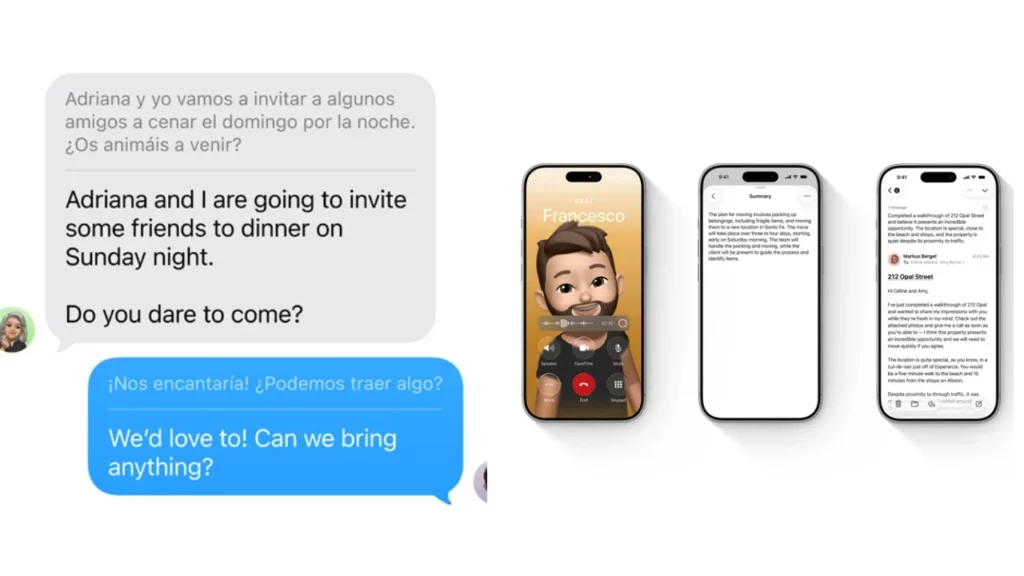
Finally, Live Translation makes cross-language conversations seamless, offering automatic text translation in Messages, live captions during FaceTime, and spoken translations in Phone calls.
Creativity Gets a Boost with AI
Apple is also leaning into playful features. Image Playground generates unique images in animation, illustration, or sketch styles. On U.S. devices, “ChatGPT styles” appear as extra options.
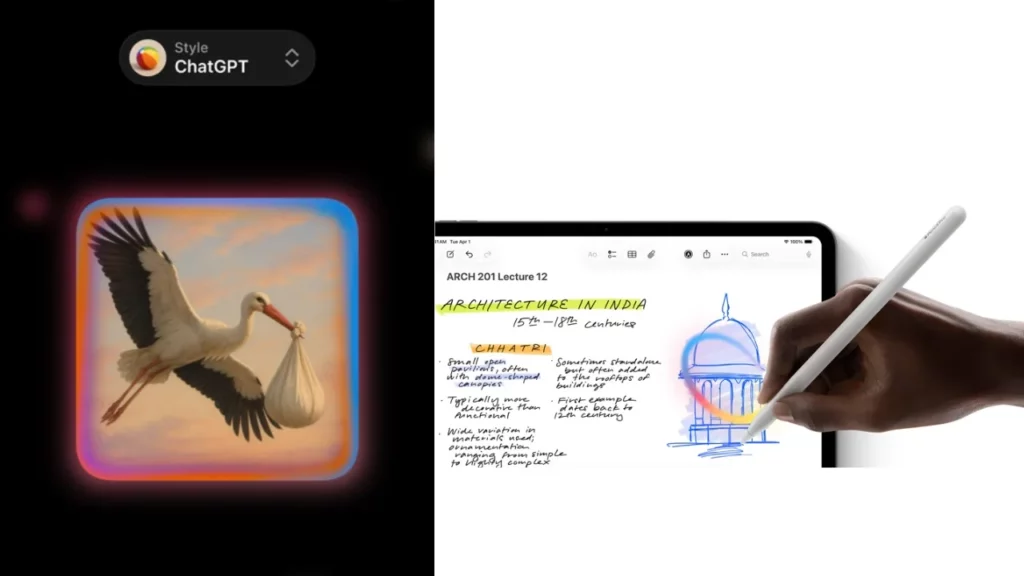
With Genmoji, users can design personal emoji-like graphics, even modeled on friends from their photo library. Image Wand in Notes can turn rough sketches into polished illustrations, whether drawn with a finger or Apple Pencil.
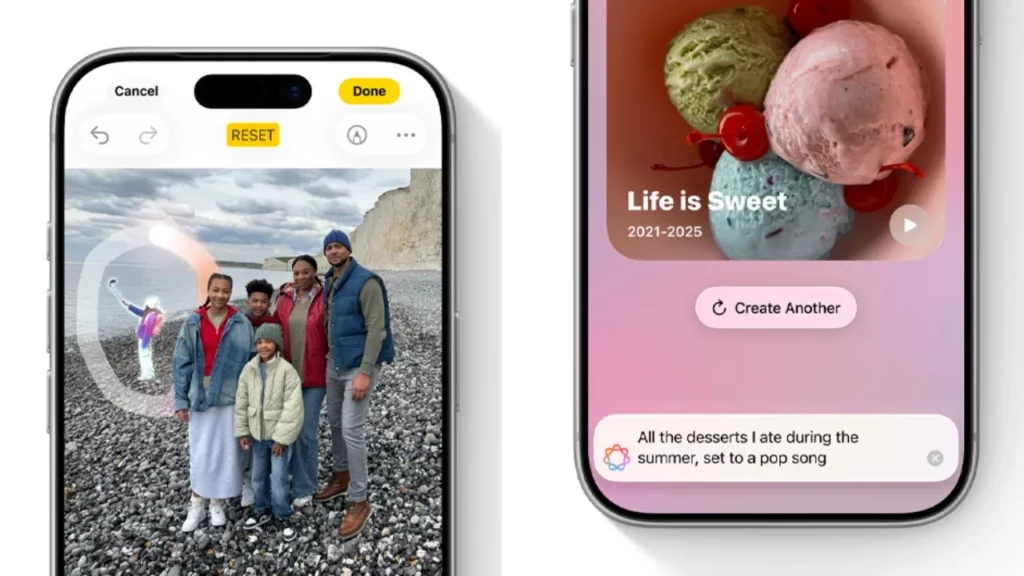
In Photos, a Clean Up tool removes background distractions while keeping the image true to the original. Searching has become smarter too, with natural language queries that even locate moments in videos. The system can also generate Memory Movies, multi-chapter highlight reels based on a described theme.
On-Screen Awareness and Visual Intelligence
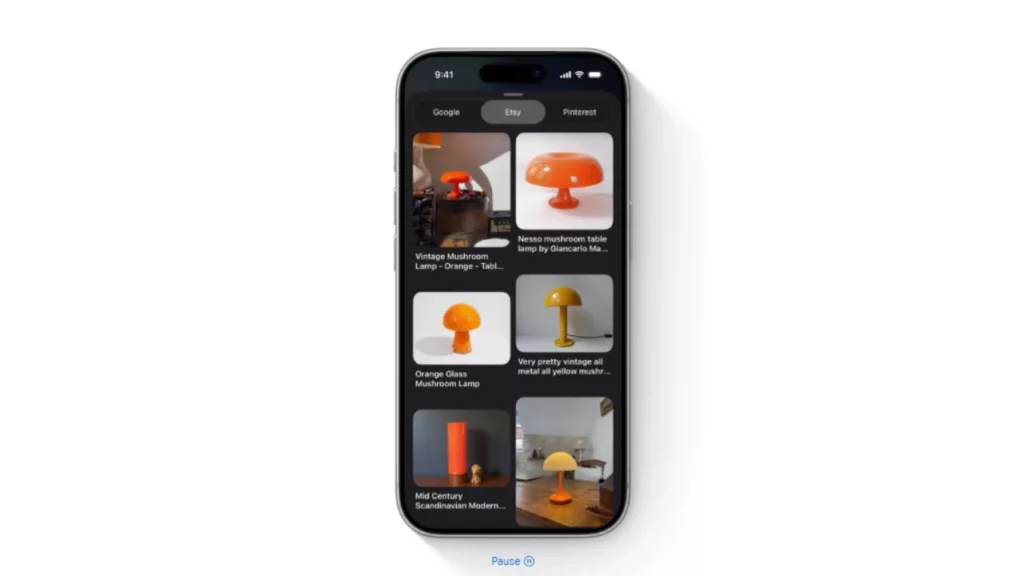
Apple Intelligence is not limited to text and photos, it also understands what is on your screen. For example, it can pull details from a poster into your Calendar, summarize the page you are viewing, suggest where to buy an item you see, or search across apps instantly. Some of these capabilities vary by language and region.
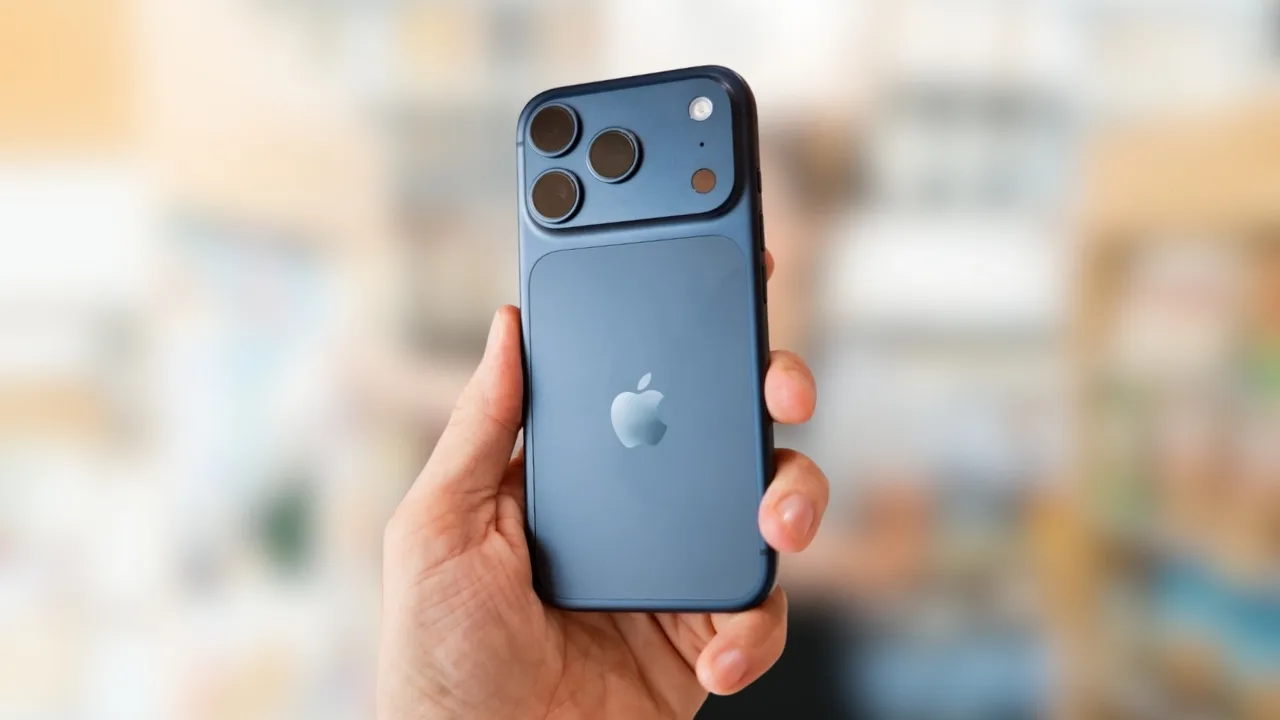
Siri Reimagined with a Fresh Look
Siri has been redesigned with a subtle glowing wrap around the display, creating a modern yet unobtrusive look. For the first time, you can also type to Siri from anywhere by simply double tapping at the bottom of the screen, making it easier to interact in quiet settings.
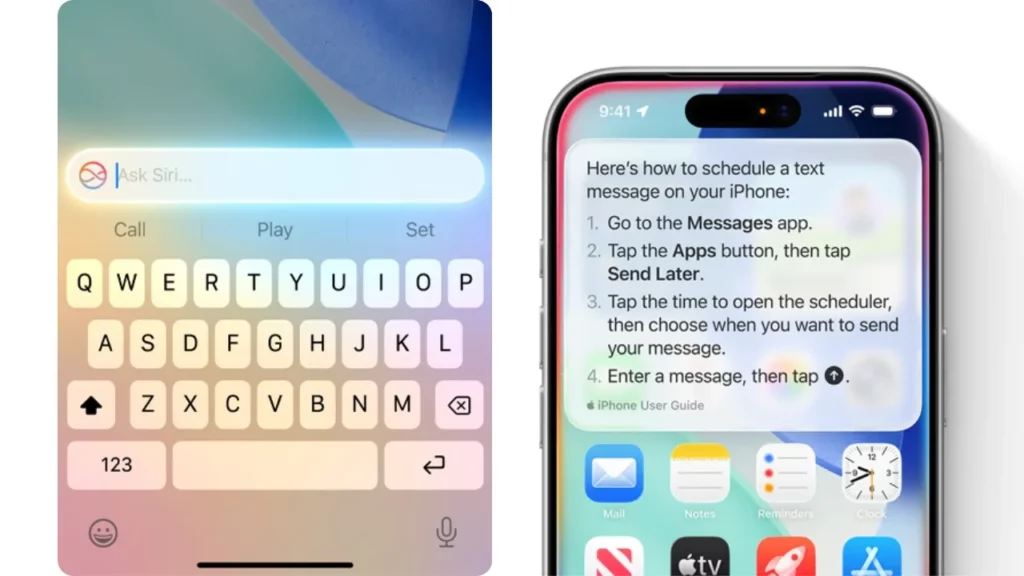
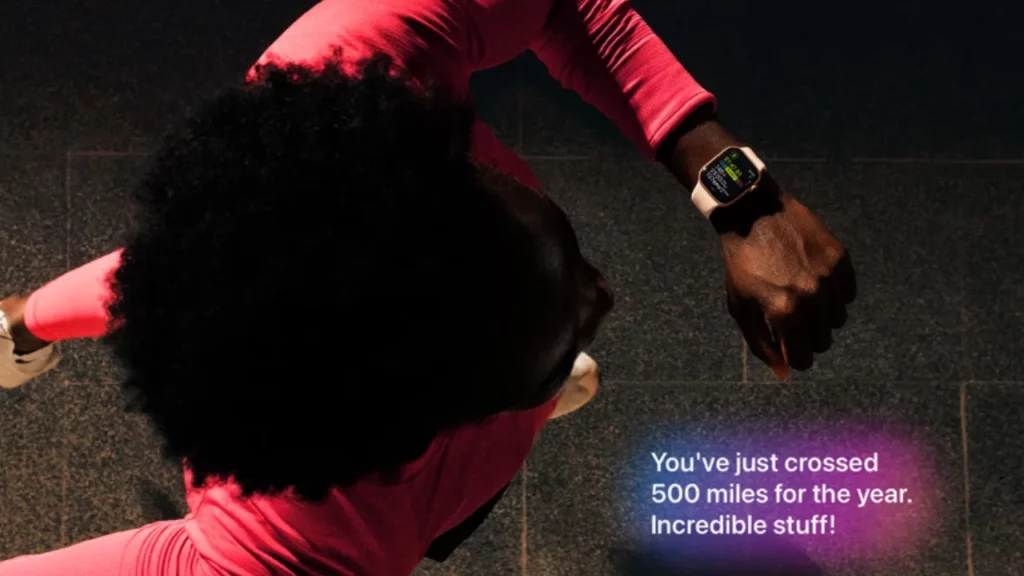
Apple is giving Siri new depth as well. It can now provide step-by-step product know-how, guiding you through Apple device features and settings like a built-in manual. On Apple Watch, a new Workout Buddy delivers personalized motivation, echoing the style of Fitness+ trainers to encourage consistency.
Apple Intelligence also supercharges Shortcuts, letting you use Writing Tools and Image Playground directly in automation workflows. That means you can summarize text, generate images, and connect tasks across apps without extra steps.
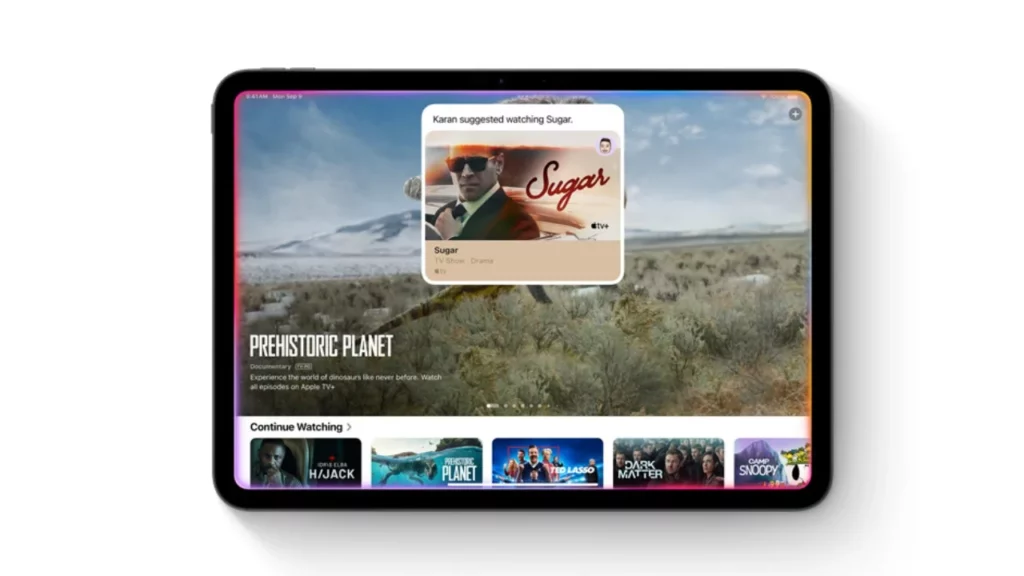
Looking ahead, Siri will become even more capable with on-screen awareness and personal context. This will allow it to act on what is visible on your display and pull in information already stored securely on your device like addresses sent by friends, recipes across apps, or even your passport number. These features are currently marked “in development” and expected in a future update. Apple is also working on cross-app actions, so you can issue multi-step commands such as “Send the email I drafted” or “Make this photo pop and insert it into my note.” These are likewise flagged as upcoming enhancements.
Privacy Architecture That Sets Apple Apart
Privacy is central to Apple Intelligence. By default, processing happens on-device, meaning personal context is never uploaded. When requests require heavier computing, Apple uses Private Cloud Compute (PCC) on its own silicon servers. Apple makes three guarantees:
- Data is never stored
- Requests are only used to process your task
- The privacy system is independently verifiable

ChatGPT Comes Built In
Apple has integrated OpenAI ChatGPT in multiple ways across Apple Intelligence. In the U.S., it appears inside Siri, Writing Tools, Visual Intelligence, Image Playground, and Shortcuts. In the Philippines, ChatGPT is highlighted specifically within Writing Tools, including the Compose feature that helps generate or illustrate content.
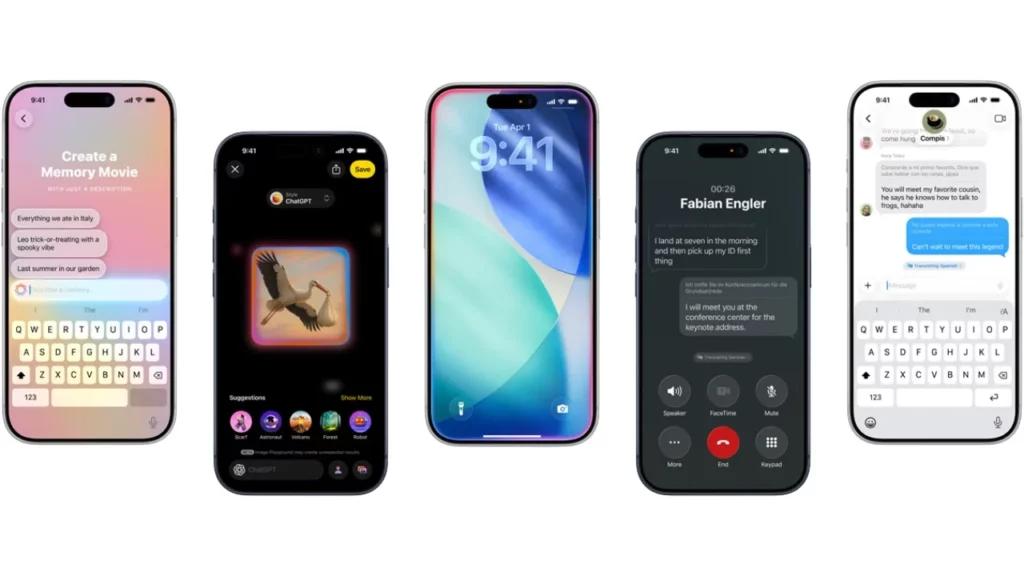
Apple emphasizes that users remain in control. Before any data is shared with ChatGPT, the system will ask for permission. You can use ChatGPT for free without an account, but subscribers are able to connect their accounts to unlock premium features. This approach keeps the integration flexible while preserving user choice and transparency.
Devices That Support Apple Intelligence
Apple Intelligence requires modern hardware with the latest chips.
| Category | United States | Philippines |
| iPhone | iPhone 17, 17 Pro, 17 Pro Max, Air, 16e, 16, 16 Plus, 16 Pro, 16 Pro Max, 15 Pro, 15 Pro Max (A19/A18/A17 Pro) | iPhone 16e, 16, 16 Plus, 16 Pro, 16 Pro Max, 15 Pro, 15 Pro Max |
| iPad | iPad Pro (M1+), iPad Air (M1+), iPad mini (A17 Pro) | iPad Pro (M1+), iPad Air (M1+), iPad mini (A17 Pro) |
| Mac | MacBook Air (M1+), MacBook Pro (M1+), iMac (M1+), Mac mini (M1+), Mac Studio (M1 Max+), Mac Pro (M2 Ultra) | MacBook Air (M1+), MacBook Pro (M1+), iMac (M1+), Mac mini (M1+), Mac Studio (M1 Max+), Mac Pro (M2 Ultra) |
| Vision Pro | Apple Vision Pro (M2) | Not listed |
Both regions agree: Apple Intelligence requires iPhone A17 Pro or newer, M-series iPads, and M-series Macs.
Languages and Availability
Apple Intelligence is currently in beta, and Apple notes that features, languages, and regional support can change over time. A support is provided for the latest details. Current availability includes:
- Live Translation in Messages: Chinese (Simplified), English (U.K. and U.S.), French (France), German, Italian, Japanese, Korean, Portuguese (Brazil), Spanish (Spain). Works on iPhone, iPad, Mac, and on Apple Watch Series 9 and Ultra 2 when paired with an AI-enabled iPhone.
- Live Translation in Phone & FaceTime: English (U.K. and U.S.), French (France), German, Portuguese (Brazil), Spanish (Spain) for one-to-one calls.
- Genmoji & Image Playground languages: English, French, German, Italian, Japanese, Portuguese (Brazil), Spanish.
- Visual Intelligence: Available on all Apple-Intelligence-enabled iPhones, though some functions vary by language and region.
- Workout Buddy on Apple Watch: Requires an Apple-Intelligence-enabled iPhone nearby, Bluetooth headphones, and Siri set to English. Marked as beta with availability caveats.
Some Siri upgrades including on-screen awareness, personal context, and cross-app actions are explicitly listed as “in development” and will arrive in a future software update.
Developers Get System Access
Apple provides App Intents, APIs, frameworks, and the Foundation Models framework so third-party apps can make use of on-device intelligence. Developers gain access to system UI like Writing Tools and Image Playground, while Apple highlights that features are designed for privacy and offline use. Importantly, there are no per-request costs for developers using these tools, and many functions work without constant connectivity. The U.S. specifically calls out the Foundation Models framework by name, showing Apple commitment to making AI accessible to developers in a secure, efficient way.
Regional Differences That Matter
The U.S. highlights a wider rollout of Apple Intelligence, showing broader ChatGPT integration across Siri, Visual Intelligence, Image Playground, and Shortcuts. It also lists Apple Vision Pro and the full iPhone 17 family in its compatibility chart, along with detailed language footnotes for Live Translation and Genmoji/Image Playground.
Meanwhile, the Philippines places more emphasis on Writing Tools and privacy. It supports only the iPhone 16 and 15 Pro families with M-series iPads and Macs, calls out Clean Up in Photos as a beta feature with local support links, and mentions ChatGPT only within Writing Tools (Compose). Notably, neither Apple Vision Pro nor the iPhone 17 lineup is listed on the PH compatibility list at the time of capture.
The Big Picture
Apple Intelligence is more than just another AI assistant. It edits your words, helps you translate conversations, organizes your notifications, creates art and emoji, and powers a reimagined Siri all while protecting privacy.
It is available only on the latest iPhones, iPads, and Macs, with Vision Pro included in the U.S. rollout. With ChatGPT integration, developer support, and a fast-expanding feature set, Apple is positioning Apple Intelligence as the foundation of its ecosystem for years to come.







