
Google Photos: Google Photos on iOS now lets you remove backgrounds and create custom stickers with one press. Simple, fast, and perfect for sharing.
Google Photos has a new hidden trick for iPhone and iPad users. You can now remove the background from your photos and turn them into custom stickers with just one long press. The tool is simple, quick, and already rolling out on iOS.
How it works
Google Photos uses smart recognition to find the main subject in your picture and cut it out cleanly. Making a sticker is easy:
- Use an iPhone or iPad with iOS 17 or newer.
- Open the Google Photos app and choose a picture.
- Pick a photo where the subject, like a person, pet, or object, is clear in the front.
- Press and hold on the subject until a shimmer outline shows up.
- Release to create a sticker.
- Tap Copy to paste it somewhere else or Share to send it to apps like WhatsApp, Instagram, or Messages.
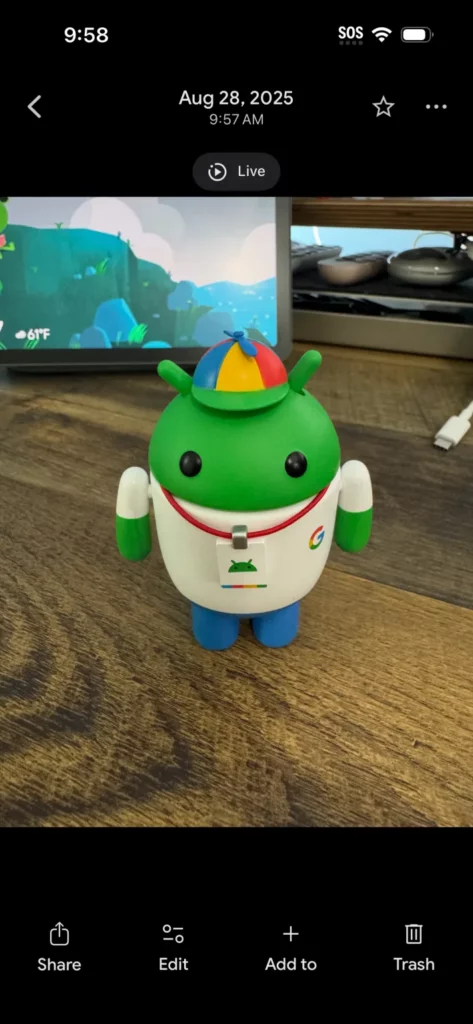
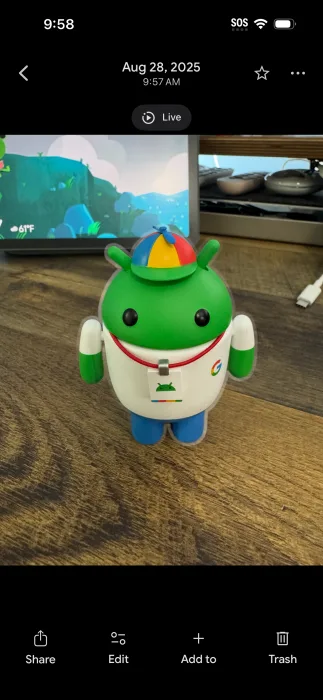
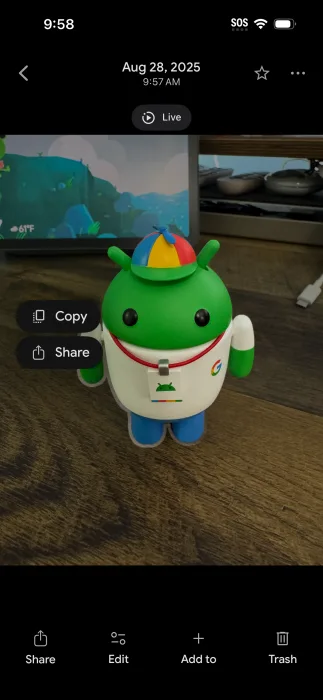
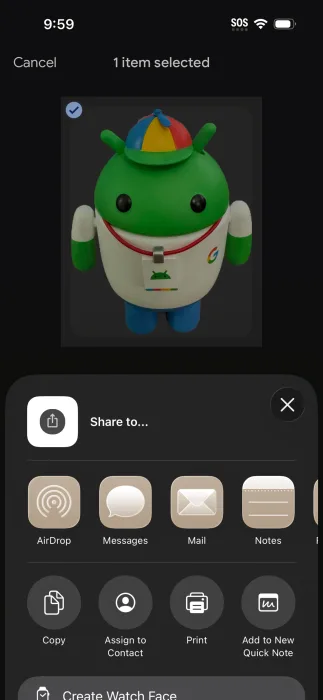
At the moment, stickers cannot be edited once they are created. So it is best to choose a photo where the subject already looks sharp.
What makes it interesting
- No editing needed – You do not need to open the full editor or use layers, just one press makes a cut-out.
- Feels instant – The shimmer effect shows you right away what the app will remove.
- Great for sharing – Stickers can be dropped straight into chats and social media without extra steps.
- Fits everyday habits – Whether you are texting a friend, posting a meme, or making a profile picture, the tool feels useful right away.
- Everyday use – Perfect for quick reactions, funny moments, or even clean product photos.
iOS only for now
This feature is available only on iOS devices. Android users do not have access yet, even though phones like Samsung already offer similar tools in their photo apps. Google has not confirmed when or if Android will get it.
Why it matters
This update may look small, but it makes everyday sharing more fun. Instead of using a full photo editor, you can now create clean cut-outs in seconds and use them as quick reactions, profile icons, or posts with no background. For millions of people who already use Google Photos, it is a handy new shortcut built right into the app.







