
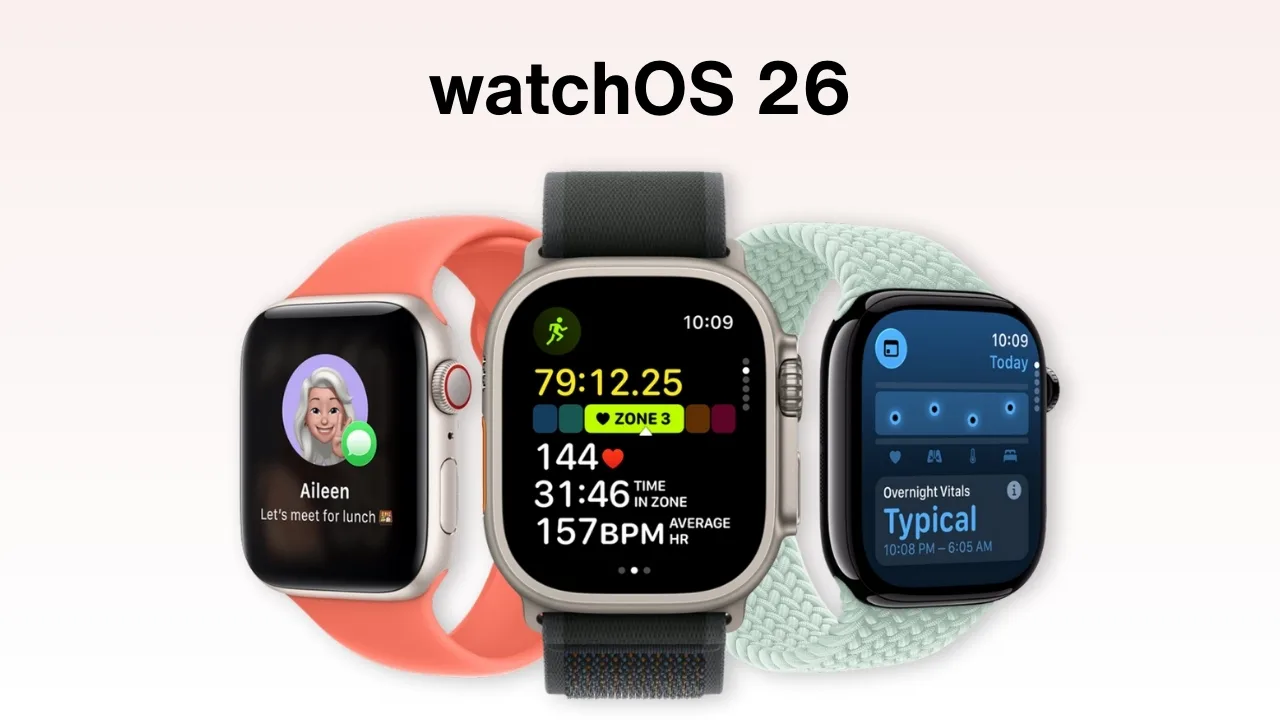
watchOS 26: watchOS 26 arrives this fall with a sleek new look, smarter apps, and AI tricks like Live Translation and Workout Buddy. It rolls out to newer models (SE 2nd gen, Series 6–10, Ultra/Ultra 2), but many older watches won’t make the cut. Check if yours is on the list and see which extras need an Apple Intelligence iPhone and Bluetooth headphones before you upgrade.
watchOS 26 compatible Apple Watches list
watchOS update delivers a Liquid Glass design, Workout Buddy with AI coaching, Smart Stack hints, wrist-flick controls, and smarter Messages with Live Translation, Call Screening, and Hold Assist. Adds Notes app, auto volume, photo shuffle faces, and Live Listen transcription. Launching this fall for Watch SE (2nd gen), Series 6–10, Ultra, and Ultra 2 with iPhone 11+/SE (2nd gen). Some features need Apple Intelligence iPhone and Bluetooth headphones.
Here is the full list of Apple Watches that are compatible with watchOS 26:
| Apple Watch model | Year (release) | Generation |
| Apple Watch SE (2nd generation) | 2022 | SE 2nd gen |
| Apple Watch Series 6 | 2020 | 6th |
| Apple Watch Series 7 | 2021 | 7th |
| Apple Watch Series 8 | 2022 | 8th |
| Apple Watch Series 9 | 2023 | 9th |
| Apple Watch Series 10 | 2024 | 10th |
| Apple Watch Ultra | 2022 | 1st gen |
| Apple Watch Ultra 2 | 2023 | 2nd gen |
These Apple Watches Will Not Get watchOS 26
Apple confirmed that several older models will no longer receive updates. Unsupported devices include:
- Apple Watch SE (1st generation, 2020)
- Apple Watch Series 5 (2019)
- Apple Watch Series 4 (2018)
- All earlier models (Series 3, 2, 1)
The Series 6, Series 7, Series 8, and SE (2nd generation) still support watchOS 26, though they are nearing the end of their compatibility window.
Why Older Apple Watches Cannot Run watchOS 26
Older Apple Watches are not supported with watchOS 26 because their hardware cannot meet the demands of Apple Intelligence. The S9 chip introduced on-device Siri and stronger AI performance, setting the new standard. Earlier models also fall short on memory, storage, and modern connectivity like updated Bluetooth, Wi-Fi, and sensors. Apple’s regular support cycle further retires aging hardware to maintain performance, security, and battery life. As a result, only newer watches have the power and features to handle watchOS 26.
What You Need for Apple Intelligence on Apple Watch
Apple Intelligence requires both a supported iPhone and Apple Watch.
- iPhone: iPhone 15 Pro, 15 Pro Max, or any iPhone 16.
- Apple Watch: Series 6 or newer, SE (2nd gen), or any Ultra model.
For the best experience, Apple recommends Series 9, Series 10, Ultra, or Ultra 2 with the S9 chip and on-device Siri. Make sure your devices run the latest software, use a supported Siri language, and keep around 7GB free.
Quick Way to Check Your Model
Go to Settings > General > About > Model on your Apple Watch. If the number starts with an M, tap it to reveal the five-digit A number, which you can search online to identify your model.
What to Do if Your Watch Is Unsupported
If your Apple Watch does not support watchOS 26, you can continue using it with its current software. Apple will still provide essential security patches and core features for a limited time, so your watch will remain functional. However, you will miss out on Apple Intelligence and other advanced features.
For those who want the full experience, upgrading is the best option. Apple suggests the Series 10 or Ultra 2 for the most future-proof performance, while the Series 9 also delivers strong AI support thanks to the S9 chip and on-device Siri.







